
PRIVATE PHOTO CLEANUP FOR IPHONE
Photo Cleaner
Swipe to Tidy
Make space for the photos that matter.
Turn an overwhelming photo library into a calm, focused routine. Swipe to keep or remove photos, organize what belongs together, and review every change before it is applied.
- Photos stay on your iPhone
- Media is processed locally and never uploaded.
- Review before changes
- Nothing is removed until you approve the final selection.
- Private by design
- No advertising, no account, and no cross-app tracking.
A CALMER WORKFLOW
One photo. One simple decision.
Photo Cleaner lets you work through your library at a comfortable pace. Each photo appears on its own, without a crowded grid or a long list of controls.
-
01
Review
See each photo clearly together with its date and file size.
-
02
Decide
Swipe right to keep it, swipe left to mark it for removal, or add it to an album.
-
03
Confirm
Review the complete selection before applying any changes.
SMART CLEANUP
Start where your library needs attention.
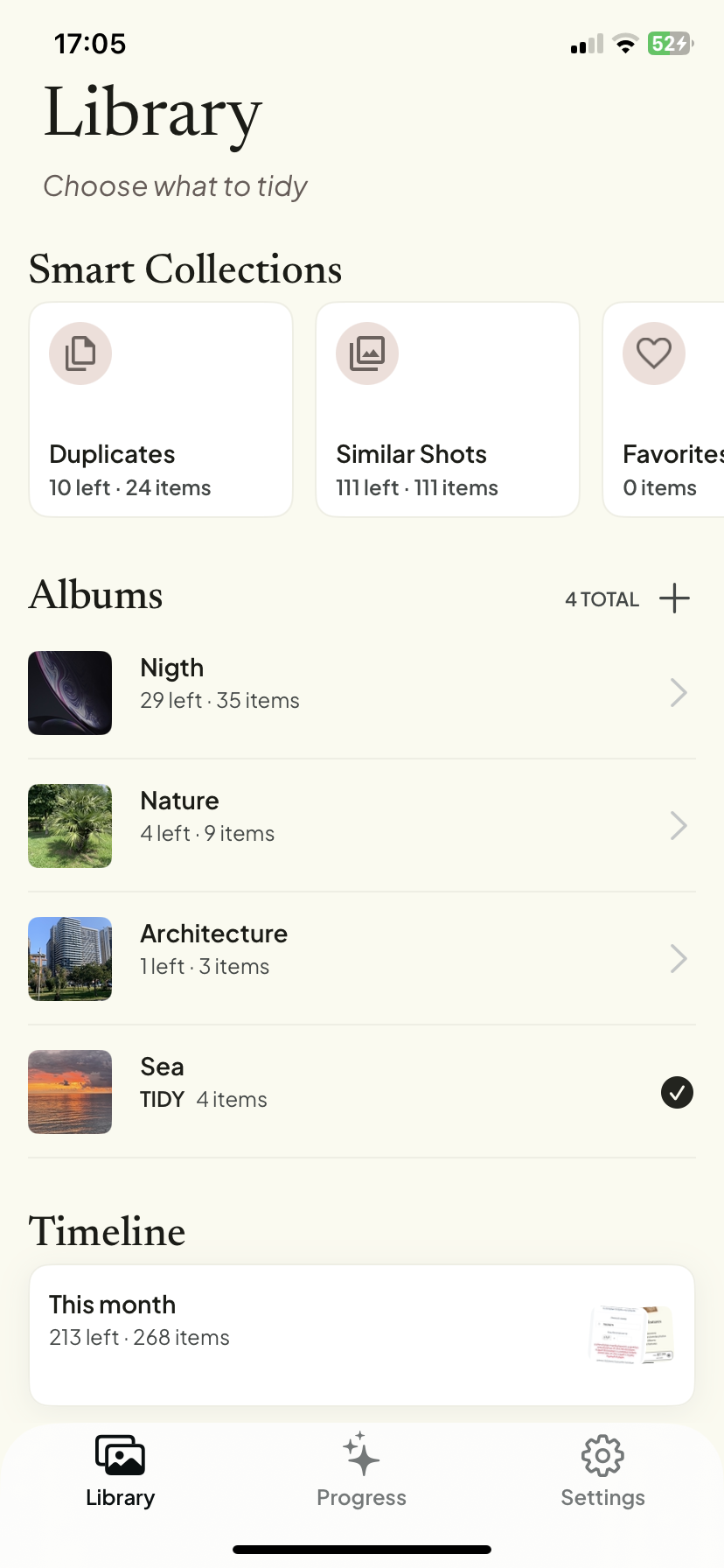
Focused collections help you review the parts of your library that usually take the most time, without searching for them manually.
-
Duplicates
Compare duplicate groups and decide which copies to keep.
-
Similar photos
Review related shots together and choose the versions that matter most.
-
Screenshots
Clear old receipts, confirmations, conversations and temporary references.
-
Videos
Find large video files and review them without leaving the app.
Smart analysis is performed locally on your iPhone. Photo and video contents are not sent to a remote server.
MORE THAN DELETE
Organize the photos you keep.
A useful photo does not always belong in the main library. Add it to an existing album while you swipe, or create a new album without interrupting the session.
Photo Cleaner helps you make your library easier to browse, not simply smaller.
YOU STAY IN CONTROL
Nothing changes until you approve it.
Photos marked for removal are placed in a review queue first. Inspect the complete selection, restore individual items, or discard the entire set of decisions before applying changes.
- Review every selected photo.
- Restore individual items at any time.
- Discard the complete selection in one action.
- Confirm the final change through the standard iOS photo-library flow.
A LIGHTER LIBRARY
See the difference your decisions make.
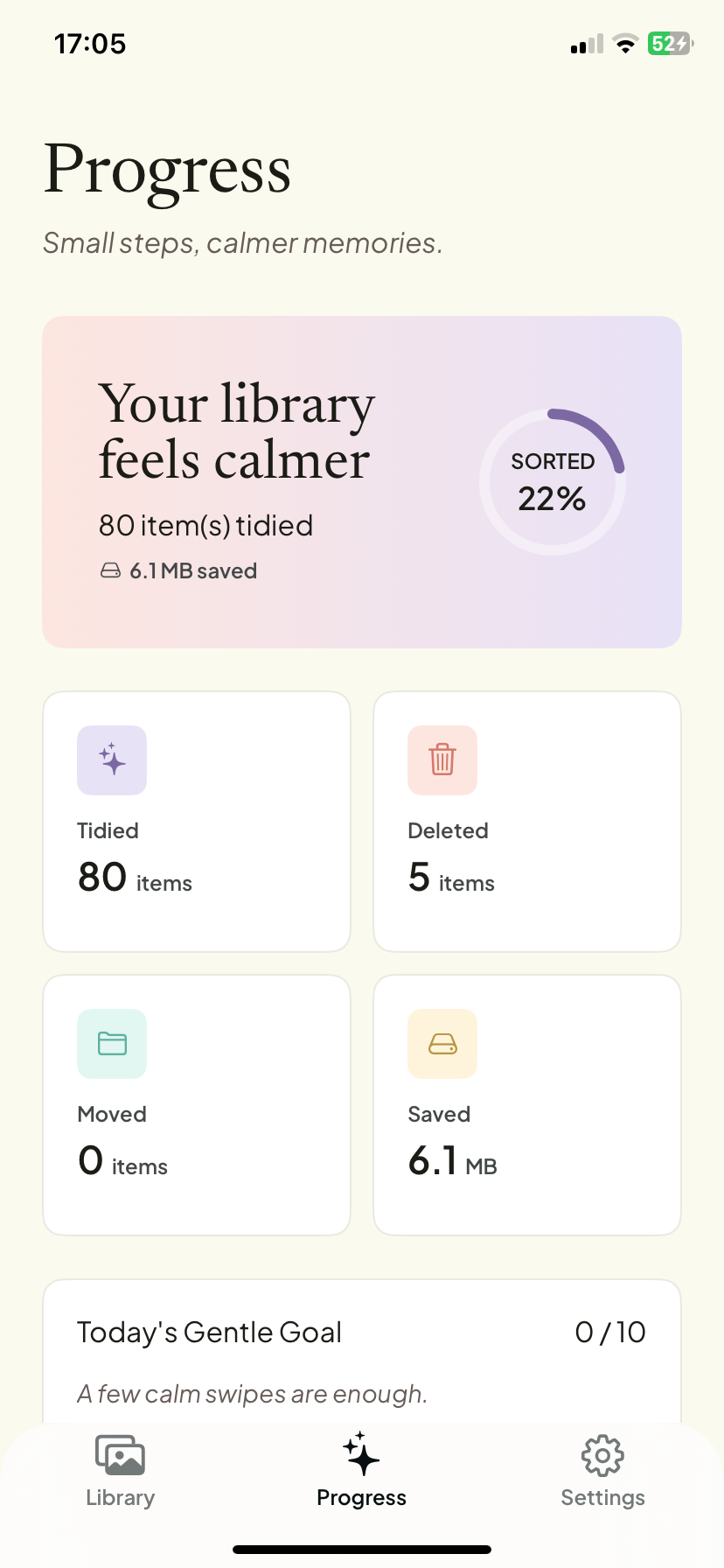
The Progress screen brings together completed cleanup sessions, reviewed items and the amount of storage you have cleared.
There are no aggressive streaks or stressful goals. Progress is presented as a quiet record of the work you have already completed.
PRIVATE BY DESIGN
Your library stays your library.
Photo Cleaner needs access to your photo library so it can display, compare, organize and remove the items you choose. Photos, videos, thumbnails, filenames, album names and image-analysis results remain on your iPhone.
Photo Cleaner uses Firebase Analytics to understand feature usage and improve the product. Analytics events may include app version, device category, language, broad region and feature interactions. They never include your photos, videos or other photo-library contents.
- No photo or video uploads
- No advertising
- No account required
- No sale of personal information
- No cross-app tracking
- Local photo analysis
Questions and answers
Does Photo Cleaner upload my photos?
No. Photos, videos and thumbnails are processed locally on your iPhone and are not uploaded to IKresh or Firebase.
Can Photo Cleaner delete a photo without my approval?
No. Items selected during a session are shown on the Review screen first. Changes are applied only after you confirm the final selection.
What happens to removed photos?
Changes are handled through the iOS Photos framework. Depending on your iOS settings, removed items may remain in the Recently Deleted album before permanent deletion.
Can I organize photos without deleting them?
Yes. You can add photos to existing albums or create a new album while reviewing your library.
Does the app contain advertising?
No. Photo Cleaner does not display third-party advertising.
Is an account required?
No. Photo Cleaner does not require registration or an IKresh account.
Give your photo library a little more room.
Review the memories you want to keep and clear away the rest — calmly, privately and one decision at a time.
Download Photo Cleaner